cannot proceed because AcPal.dll was not found.Reinstalling the program may fix this problem.
The code execution
Issue:
When launching an Autodesk application, the following system error message may appear: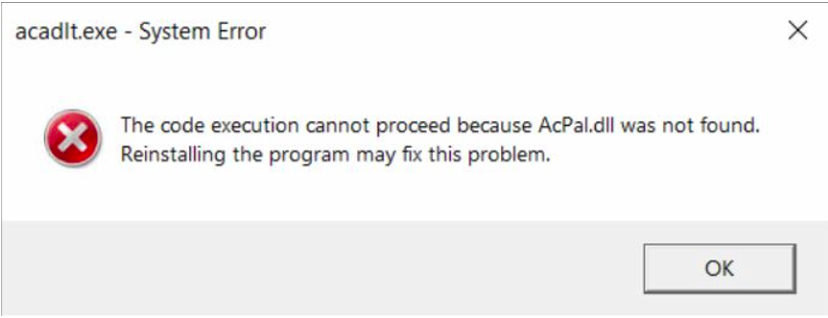
The code execution cannot proceed because AcPal.dll was not found.
Reinstalling the program may fx this problem.
This error indicates that the AcPal.dll file is missing or corrupted. Similar errors referencing other missing DLL files may also occur, including:
acut.dllacdb24.dllacge24.dllanav.dll
Resolution
To resolve this issue, perform a clean reinstallation of the Autodesk product using the deepuninstaller utility and ensure the installation is run with system privileges.
- Utilize the
deepuninstallerutility to remove the existing Autodesk product installation.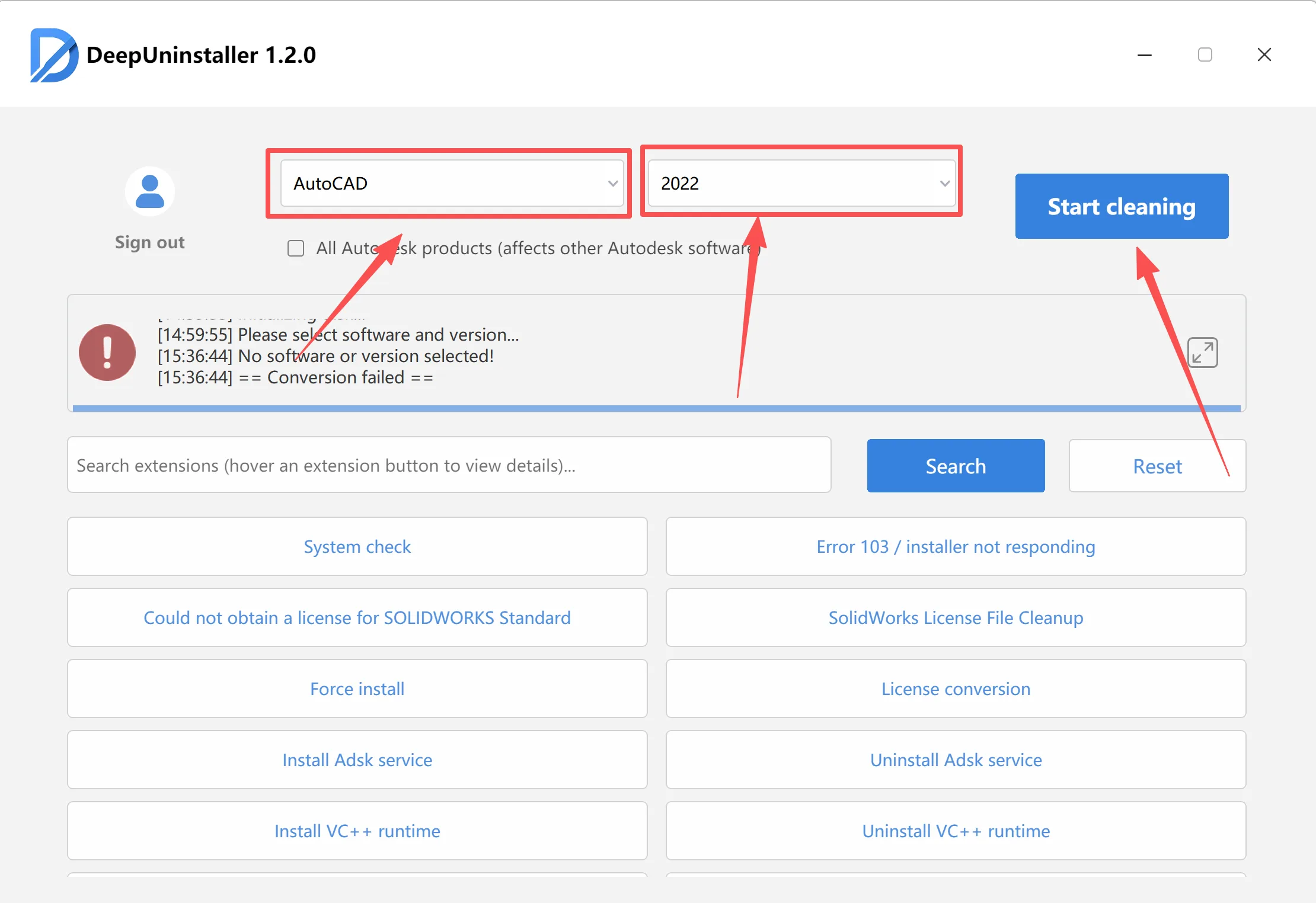
- After the uninstallation is complete, restart your computer.
- Locate the installer for your Autodesk product (typically
setup.exe). - Right-click on
setup.exeand select “Run as administrator” to launch the installation process with elevated system privileges.Run as Administrator context menu - Follow the on-screen instructions to complete the reinstallation of the Autodesk product.
🚀 Affiliate Partnership – Earn 50% Commission
Earn 50% commission for every sale.
When users enter our website through your referral link, purchases made during the cookie validity period will be attributed to you.
✔ 50% commission
✔ Long-term cooperation
✔ Reliable tracking and payouts
⚠️ Self-referrals are not allowed.
👉 Apply here:
https://deepuninstaller.com/en_us/agent


评论
发表评论